Goal Plan three short study sessions this week.
Context A student studies biology, algebra, and history.
Output A prioritized weekly plan with review time.
Introducing FutureCraftA better way to begin
Learn with AI, shape clearer prompts, and build useful software you understand.
No coding experience needed. No credit card required.
Learn. Prompt. Code. Repeat.
FocusFlow · Your space
Make room for deep work.A small plan. A focused day.
+ Add a task for today
You built this. Now understand how it works. Explore code
Idea → working app · keep scrolling
Your idea
Build a calm task app with daily priorities, a focus timer, and progress that saves locally.
Working app
Make room for deep work.Scroll-driven illustration in five stages: Idea, Learn, Prompt, Build, Launch. A glowing form recedes as a study-planner app assembles from an idea bar into a component checklist and finally a working task interface.
A brief becomes a build
Watch one clear request become a small feature, then a screen someone can use.
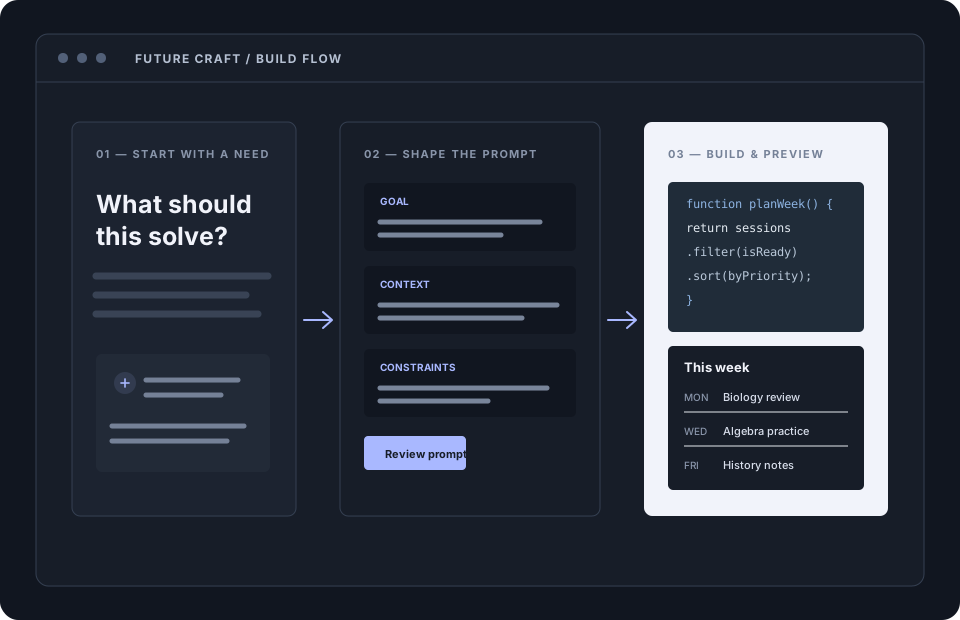
Goal, context, constraints, and an output you can review.
Turn the plan into code with focused state and clear names.
Verify the behavior, then refine the experience.
How it comes together
Move from a rough thought to a result you can inspect, test, and explain.
Name a real problem worth solving.
Add context, constraints, and an outcome.
Build in small steps you can explain.
Connect the pieces into a working flow.
Review the result and make it useful.
IDEA — PROMPT — CODE — BUILD — LAUNCH
02 / LEARN
Courses, lessons, and challenges that teach the thinking first — then make you prove it.
A COURSE, IN PRACTICE
AI-Assisted Coding for Beginners
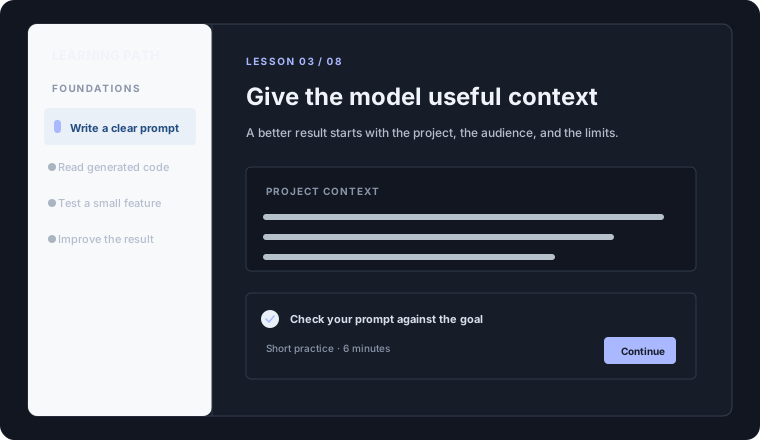
Short lessons, practical checks, and a clear path from prompt to project.
03 / PROMPT
User goal to result — every stage explicit, every output reviewable. Try it below; simulated locally.
01
02
03
04
05
06
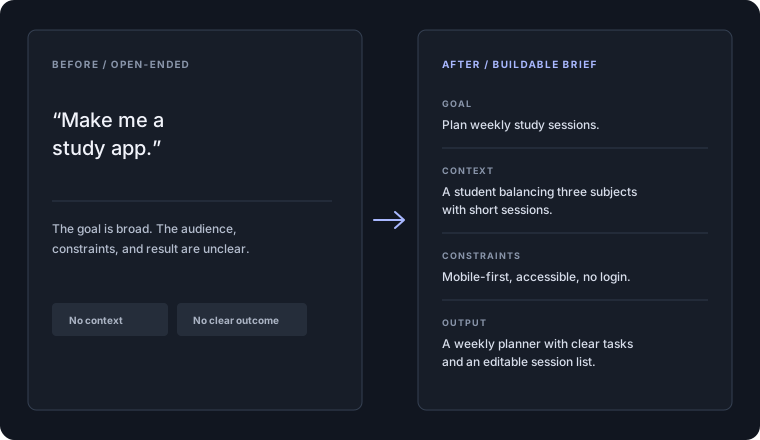
Local demo — template-based structuring. No AI request is made.
Weak prompt
“make me a website”
Press Run to see what this prompt produces.
Structured prompt
Polished preview
The structured version renders side by side.
04 / BUILD
Project, milestones, code, preview, testing — layered in one workspace you verify yourself.
Workspace — Study Planner
05 / BUILD TO MARKET
Future Craft isn't just teaching you to code. It teaches you to identify useful problems and build solutions people use.
01
Start from a real frustration — yours or someone else’s.
02
Check that the problem matters before writing code.
03
Ship the smallest version that solves it.
04
Put it in front of real users and watch.
05
Fix, refine, and extend based on evidence.
Learning paths
Pick the path that matches you. Your choice is saved on this device — and follows your account once you log in.
PATH 01
PATH 02
Start from zero
“I don’t know how to code, but I want to use AI to build my ideas from scratch.”
Level up existing skill
“I already code, but I want AI to handle boilerplate, debugging, and refactoring more effectively.”
Community
Ask questions, share what you are building, and learn from real discussions. Join in when you are ready — reading along is free.
Visit the communityBegin today
Start learning, improve your prompts, and build your first project with FutureCraft.
Already learning? Log in →